500 MHz
Ever wondered how much power you actually need for calm daily use? As you might’ve guessed from the title — I did.
Right now, as I’m writing this, my laptop is capped at 500 MHz. Yeah, a machine that can do 5 GHz. And it’s quiet, cool, I’m typing this paragraph without really feeling any difference.
I’ve been running Linux since 2004, so tweaking things and poking at settings here and there is something I’ve been used to for a while. some app would somehow peg the CPU at 100% for minutes with no visible reason. Fan kicking in, laptop getting noticeably hot, CPU pushing 70-80°C. One heat spell like that is nothing on its own, but this was regular, and it went on for a while. I started wondering whether that might harm the laptop down the line. Why did I even wonder that? Because I like things to last: phone, car, tools, laptop, whatever. So keeping the heat down became a conscious thing. Heat, and the battery, too, I think it wears out faster if the whole machine roasts at 40-60°C for long stretches.
The obvious fix was Yes, instead of finding the actual app. Who looks for the easy way anyway? . Apps still run, yeah, sometimes they lag. Mostly on startup. Then, the way it usually goes for me, curiosity took over. Where’s the floor? What’s the lowest frequency that is still comfortable for the daily routine (browsing, reading, notes, videos, what I mostly do Work tasks still get full power. ).
On my old HP ProBook with an Intel i5 the floor turned out to be around 450 MHz, and that was already a bit too low. Apparently, some system events (Gnome, 12 years ago) were timing-dependent (my guess), and at that low frequency they piled up faster than they could clear, overwhelming some queue or something, so eventually the system would just lock up solid. 600 MHz, though — just right. Laggy on some By the way, that’s a decent indicator for me of how much website owners actually care about the performance of their web-clients and SPAs. , but workable. Strangely enough, my first PC 80386, back in 1992, thanks Dad, felt Yeah, and the grass was greener and the sky more blue. than most of today’s apps. And that’s on hardware a thousand times slower. Price for abstractions and delivery speed? That one deserves its own post, another time.
So the 600 MHz call stuck: low frequencies have been a daily habit for more than a decade now. The hardware’s changed twice since then: I’m on an HP EliteBook 845G10 now, AMD instead of Intel. And the notion of “enough” shifted along with it: 600 MHz on the old Intel i7 actually felt slower than 500 MHz does now on the AMD chip, probably down to core or thread differences between the two. The hardware swap itself, sure, sits a little oddly next to what I just said about things lasting for years. But that was about work requirements, not because the previous 840G5 turned out to be somehow bad. It has become a solid home workhorse and handles the family business now.

So, here is how I actually cap it:
cpupower frequency-set -d 400MHz -u 500MHz -g powersave
The numbers that come back from that: CPU around 35-38°C, the chassis 27-29°C, room — 24°C, power draw around 4 watts (measured it). Low enough that I don’t really worry. Practically, I can just leave the laptop running for a 10-15 minute break instead of suspending it every single time. Longer breaks, like 2-3 hours, sure, then suspend makes sense.
Luckily, AMD allows frequency control That was actually one of the factors influencing my decision when choosing the laptop. . I heard Intel has serious problems with that on Linux.
To make switching modes less annoying, I set up presets in Guillotine, a handy Gnome extension that runs predefined commands with one click. 500 MHz, 1000 MHz, “default,” and one odd out: 2300 MHz, with the performance governor.
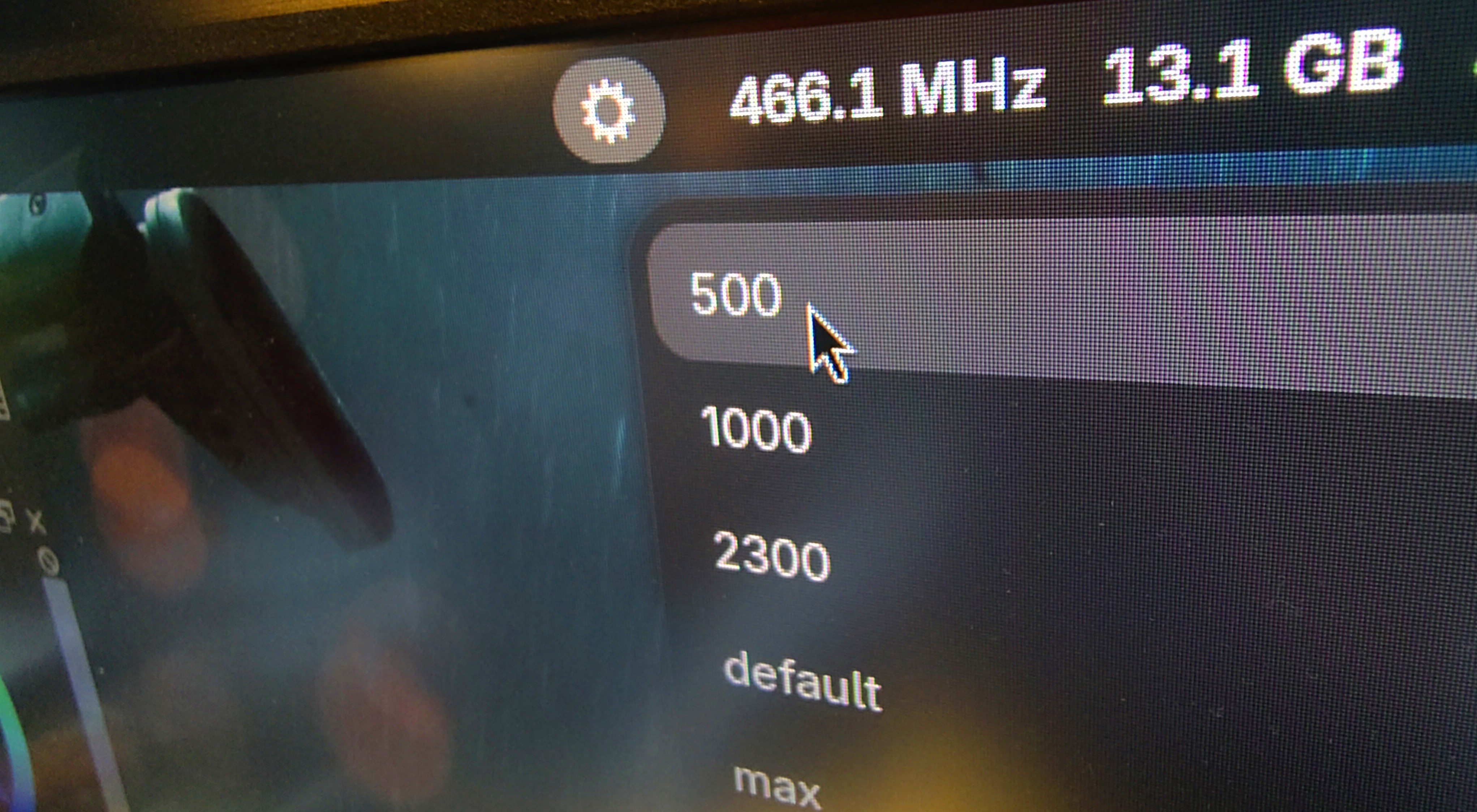
That last one is not for me — it’s for BOINC. I’ve been donating spare CPU time to distributed computing for something like ten, eleven years now, protein folding for COVID research among other things. At 2300 MHz, with the BOINC client grinding away in the background, the cooler stays off, temperature holds steady under 50°C. Bump it to 2400 and the fan starts kicking in intermittently. Of course, it varies a lot depending on the project, the number of tasks, how the load’s split across cores, and other factors. .
Nobody notices this limit, I don’t really talk about it — it’s strictly between me and the laptop. Well, except maybe a couple of times at work: I’d be reading datasheets at my usual slow pace, and as usually a colleague would “suddenly” walk over with an urgent question, I’d need to pull something up to discuss, and they’d notice everything felt sluggish compared to their own setup. One click to “default” and there’s no problem. Surprisingly, curiosity often takes over instead, and the conversation drifts toward “sane consumption” rather than toward this being some pointless self-denial.
As part of “how far can this actually go”, I blew the dust off my Pentium 1 233 MHz to give it a try as a typing machine. Installed my beloved SuSE 5.3, and the responsiveness was awesome, instant, I genuinely miss it. Of course, the noise and the power draw kept it filed under “experimental”.
At this point, it’s not even really about performance — more about smarter consumption and quietness. I get enough noise and stress every day as it is, so cutting out even one small source of irritation is already justified.
The race for higher clock speeds, more cores, more power — is just not something I need in my daily life anymore.
Anyway, it turns out 500 MHz is just fine for writing articles.